Thursday, September 22, 2011

The quintessential employee: Peggy

Have you ever noticed that there is one type of employee that will always exist in an organization, as if it were required by law? This person is nauseatingly peppy, has cutesy pictures of her grand-kids/kids/pets all around her desk, and is dumb as rocks. We'll call her "Peggy."

"How do I figure this ou...Oh! here's the dial button!"
Now, Peggy will tell you about her years of experience with computers, but since she is Peggy, these "years of experience" are her grand-son/son removing all her tool bars from Internet Explorer and recently teaching her the magic of Facebook, so she can stalk all her kids on a 24/7/365 basis. Peggy used to have Microsoft Office 97 on her computer, but one of her friends (a "Peggy" from another job) told her it was spyware, so she deleted it (just the icons, by the way, not actually removing the program).

Hope to god Peggy never asks you to fix her home computer...

Now, when Peggy isn't generally fucking her computer up, she is being generally incompetent. Here's a bit of tidbits about Peggy:

-Peggy never uses an external hard drive, thumb drive, or any sort of backup method to keep a copy of her files. Peggy uses Desktop, because that's where she "can see them"
-Peggy has approximately 6 tools bars, none of which she uses, but all of which she'll notice if you remove
-Nothing Peggy does on the computer that causes it crash/delete something/lose a file is Peggy's fault, because the computer is stupid
-Peggy does not care what you are currently doing, because everything she does is much more important. There is only one time, and that is Peggy-Time (which is now)
-Saying anything technical to Peggy above the 4th grade level, such as telling her what a monitor does, is immediately followed by "Whoa whoa, you lost me!"
-You will never understand what Peggy does, on a daily basis, that warrants her receiving money for being there
-Peggy will say her problem on the computer out loud, in a way louder than normal voice, in an effort to get people to come over and help her fix it
-Peggy will always jam the printer and leave, without telling anyone
-When something is broken, Peggy will inform you it hasn't worked for 2 months (or ever), but never got around to telling you it was broken to begin with
-Peggy's home computer is always Vista/Millennium (ME) Edition
-Peggy will always call a computer tower a "Hard Drive"
-If you uninstall Weatherbug, Peggy knows
Is there a "I uninstall myself" function?

The problem with Peggy is that you can't truly hate her. Sure, maybe in real life she's a good person, and maybe smart with something in regards to that. Peggy most likely volunteers at some charities, so you calling her an asshole makes you look like one. The best you can do is hide away, hoping the computer gods guide her through some miracle path of not being a dumb-ass. 

Peggy can be a man too, there are many male "Peggy's" in the world. These are the ones that typically browse porn sites at work, look shit up on eBay non stop, and always come to your cube talking about sports (like some twisted version of rain man). Sure, they can rattle off some ridiculously hard to remember stats of the last 10 years of their favorite player, but god forbid they remember how to attach a document to their email.

If you're in IT, there is no escaping Peggy. So, learn to deal with him/her, or choose a different profession. May I suggest becoming a Peggy?


Tuesday, September 20, 2011

Bandwidth; the rare resource that isn't so rare

Many of you may or may not know this, but chances are either your internet at home or on your smartphone is capped. Surprised? Maybe not, but it leaves you with the question why?

Money
Greed
Laziness

Now, to break it down in dollars and cents, you have to understand the true cost of transferring files and how it’s done. There is no production in the internet, nor is there any raw materials (unless you consider electricity one). True, you may have to pay engineers to maintain things, but other than that you are left with things such as rent/lease/payments for buildings, equipment costs, and electricity.

How Bandwidth is made.......not really

Equipment nowadays has gone way down in price recently, and is much more efficient. You can have many more units now with the same carbon footprint, and these units are much faster than before. So that still brings up the question why?

ISP’s (Internet Service Providers) and Cell phone companies are the only ones that seem to get away with the underpants gnome methodology of business. Most will say the caps only affect the top 5% of users, which I would reply to with “yes, but what does that truly cost you, and if 95% don’t go over the cap, wouldn’t the leftover bandwidth be more than enough to cover the top 5%?” Of course, you’ll never get an answer to that, because it’s true, and they got caught with their pants down. 

Solid Business Plan

What’s really upsetting is that a lot of big ISP’s like Comcast do not disclose on average what a GB of transfer costs them.  Amazon posts that their online web services are between 2.5-5 cents/GB. If you factor that in to Comcast’s 250GB limit, which includes upload and download, that’s $12.50 a month, if you use every last bit of bandwidth. You can only assume that it is much less expensive for Comcast per GB, as they own and operate their own network.  In 2010, Comcast listed a $3.8 Billion profit, which is after the NBC purchase*. This Increased by 42% in the last 2 years, so I don’t think there are any dangers to their bottom line. Real purpose of this is strategy. Whats funny, on the 10-K they list a revenue of 8.7 billion in High-speed internet alone. Expense for running it ran at about $500 Million*, so they make 16x more than what they put into it, sounds like a good investment to me!
A Typical ISP Transaction

Recently, Comcast has gotten in a lot of fights with Level3 and Netflix, for the sole reason of bandwidth use. Netflix allows streaming of movies and TV shows, which makes Comcast jealous. Comcast has its own content it wants you to use and pay for. Comcast angry…..very angry.
Now for me, I’m a bandwidth hog. I have Verizon FiOS, 1 of 2 high speed choices in my area. They do not have bandwidth caps, and never plan to (At least yet).  Verizon Currently has around 9.1 million high speed customers (including DSL and FiOS)** and Comcast rings in about 16 Million***. Verizon’s response to capping was “No Bandwidth Caps. Period!”**** Well played, Verizon, Well played.


Other caps, such as Cell Phone data caps, are definitely idiotic. Costs to operate these towers have gone way down in the years, and with the inception of 4G, 2GB a month seems paltry when in the scheme of things. 2GB is less than a DVD for an entire month, and most data plans will run you around $30 a month PER LINE. Since most speeds on cell phones now border DSL speed, and there really is no need to download a ton yet on phones, usage on them is significantly less. I talked to AT&T recently, and once they looked at my usage they said “WOW you use a lot of data, 3.3 GB last month!” I replied, “I used 100 times that on my internet connection at home, that’s nothing.” To put it in perspective, 3.3GB is less than a Windows ISO, or a standard DVD. Somebody is making shit up. 


Sunday, September 18, 2011

The Audacity of Hope

Being a soon-to-be MBA grad, the world is my oyster....that has been sitting behind the radiator for a few days and is starting to stink.

College grads these days are pretty much fucked, there's no overlooking that little tidbit. Employers are expecting more and more from less and less employees, and NOBODY is willing to help a brother/sister out.

Here's how it used to work:
$10,000 for college + winning attitude = Decent Job

Here's how it works now:
$60,000 for college + winning attitude = Job at Kinko's = Depression and Student Loans

IT used to be one of the higher paying job categories, but no longer. Health care has dominated the highest paying careers, followed by law careers.

The bad thing is most IT job postings look like a laundry list of general IT terms and technologies. People truly expect you to know everything, but won't compensate you for it. There are a lot of jobs too that will pay you almost next to nothing AND expect you to drive all over the place. One job I saw definitely fit this bill:

Pay Rate: $11/hr. + mileage reimbursements (48.5 cents for the first 225 miles, 20 cents for ever mile after, per week)

This posting was for a PC tech, average traveling is 200-700 miles per week. Don't forget the job requirements too!

Job Requirements:

*A+ certification
*Strong customer service skills
*Flexibility
*Good working car - - must be comfortable with the wear & tear on their car, and the higher risk of an accident, that is associated with field work
*Polished, professional, strong communication skills
*Focus on the job

Good thing I have this $350 certification and brand new car! Thanks for the warning about possible accidents, that makes it worth $24,000 a year.


Tuesday, September 13, 2011

What you need to be successful in IT

Someone at work recently has been picking my brain, or what's left of it, about getting into the IT field. After giving him some resources to look at, possible certifications to go after, and fair amount of warnings not to actually do it, I felt I put him on the right track. However, there are a few important things I left out that I'd like to share in case others are also interested in entering the field

#1: A giant box of cables, none of which you have used in at least the past 5 years
Now you're cooking! ©Leslie Sobel
Much like rings on a tree, the size of the box and amount of random cables you have acquired over time directly equates to how knowledgeable you are, IT wise. Those ribbon cables for PATA drives? Totally necessary. Trackball mouse? you got it!

I believe another term for this collection of items is called "Hoarding"...


#2: At least 3 different versions of Windows burned across a collection of CD/DVD burned discs
Don't have this? you're wrong ©Mario Ragsac Jr.
The point of this is not convenience, but to prove your street cred. Who cares that Windows 7 SP1 discs are now out and you have the oldest version? Keep that old disc as a reminder of days of yore. This collection should also include boot utilities and other driver discs for devices you no longer have.
This can also include Linux Distro Discs that have been long since discontinued or replaced with newer versions.

#3: A messy, unorganized desk
Nothing says, "I can't help you right now, I'm busy" quite like a messy desk. It's been said that the cleanest desks are generally the ones that have the least work come across them. Luckily, since you are now in IT, having time to yourself or anything resembling a break in work isn't in the cards. Cleaning your desk will result in you being approached by coworkers asking about problems regarding spyware and other easily fixable PC problems that "just so happened to install" on their home machines.

Here's how you accomplish the messy desk look:
1. Get item of interest, such as a screwdriver or Boot CD
2. Use Item
3. When done with item, place on desk
4. Do not move for approx. 4 months.


#4: A general distrust of fellow People
Just like House, you will become a pain-medicine-addicted, judging person
This is often confused by non-IT folks as "Being an Asshole", but this couldn't be further from it. Over the years, you will develop almost selective hearing when it comes to people telling you about a problem.

Person: My computers doesn't work, cause it's stupid or something. There's a bug or something that must of installed itself, cause I didn't do anything to it recently. I can't use my email or look at my documents, like my pictures of my niece. How cute is she?! Oh jeez she is a gem!

What the IT person hears: My computers doesn't work, cause it's stupid or something. There's a bug or something that must of installed itself, cause I didn't do anything to it recently. I can't use my email or look at my documents, like my pictures of my niece. How cute is she?! Oh jeez she is a gem!


IT folks don't care if it's the computers fault, you're fault, or even god's fault. They just wanna fix whats wrong and get the hell out of there. We know its almost 99% an end user's fault, and even the nice IT people know this. Installing Bonzai Buddy or Weatherbug is not essential, and having 20 browser toolbars is generally a sign that the person using the computer isn't necessarily all there. That's why we generally distrust folks that immediately say it isn't their fault, because it almost always is.

Monday, September 12, 2011

Why Cisco Engineers Make Craploads O' Cash

There are a lot of fail safes and security measures in place to prevent people being virtually mugged by hackers and spammers alike. One of these devices, a Cisco ASA, is a commonly used product at most businesses to prevent the kid down the street with Linux bumper stickers on his car from hacking your accounts (which you use the same password for all, of course).
He's Waiting....

Now you all may be like "What is a Cisco ASA?" Essentially, it's a box that does the following:
Simple enough huh? Wrong....

Through my everyday travels as a nerd by trade. I come across requests to change this device regularly and due to recent changes to our network, it's been a bit more frequent. There are two ways to configure this device; Terminal, which is this: 
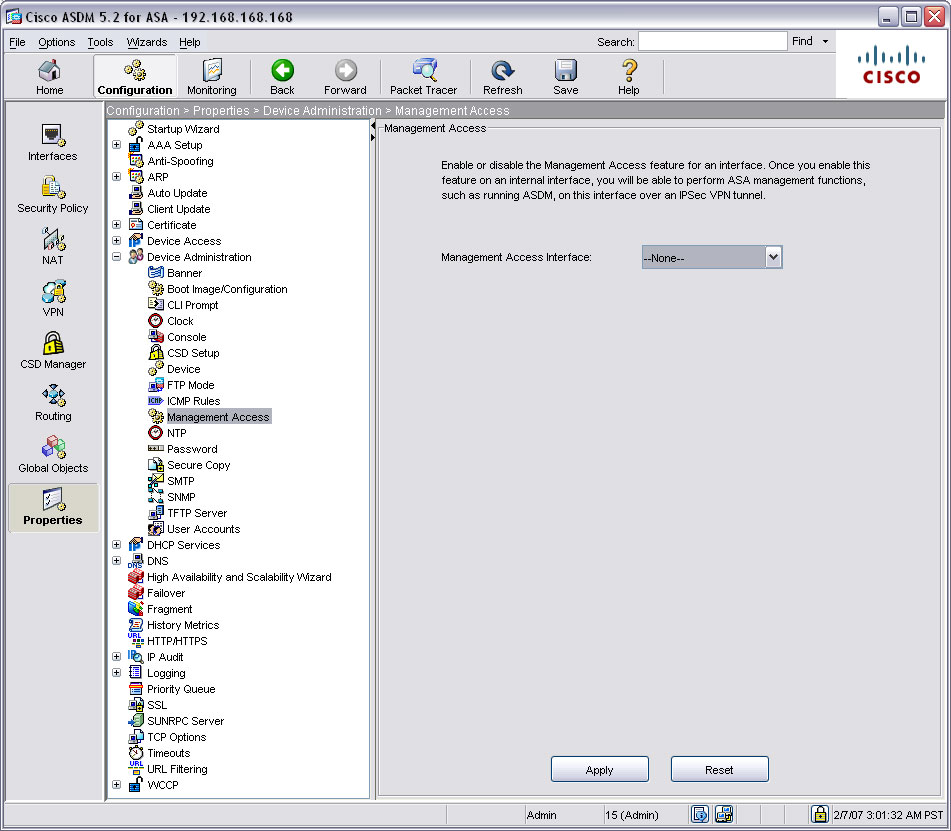
Or you can use Cisco's wonderfully-terrible graphic user tool, ASDM:
MUCH BETTER!

Here's the wonderful thing about ASDM, it rarely works the way it's supposed to. You have to filter through a labyrinth of  menus, drop-downs, and confusingly similarly named items to find what you need.
If you survive the minotaur, and actually find what you want, you generally are confronted with millions of specific entries made into the system, each incredibly important. Much like a stubborn three-year-old, these don't like when take things away from them.

Another wonderful thing about this the "backup" function actually doesn't work. At all. I made a mistake on reconfiguring ours, and by george did I pay for it. Restoring our "Backups" accomplished absolutely zilch. I was later told that was the incorrect way to back up the device, because "Backup Configuration" apparently means "Suck it Trebek" in Cisco-ese.

Now, If you find yourself huddled in a corner after screwing this thing up (which will happen, at least the screwing up part) you can always submit a ticket to the wonderful world of Cisco Engineers.

Typical Cisco Engineer
Now, as a rule, none of the Cisco engineers speak English as a first language; this adds to their mystique. Once connecting into your computer, they proceed to go into terminal and push your computer to the amount of text/second it's allow to display. In approximately 5 seconds they usually find the issue, and demonstrate a plethora of Cisco-specific code that you follow along with (but can't understand). This code is actually like it's own language, and most Engineers tattoo all the commands on themselves like that guy from Memento. Otherwise, without the painful memories, they may forget how to configure vpn tunnels.

Cisco has a lot on their websites in the form of learning materials and case scenarios on how to set these things up, but generally they just pour salt in the wound and show you how truly retarded you are.

Pretty much every Engineer or Cisco Savvy person I've talked to has said the following about ASDM

Don't you ever use this!
So, basically, you are left with this:
Gonna be a long night!
 Oh Boy....

Haters Gon' Hate

Starting a blog is easy. Add a little bit of tech savvy equivalent of a 5 year old, some teenage angst, and sprinkle some general passion for something and Presto! You're a blogger! Congrats, you're the man now dog.

Maybe you're confused about the name. That's fine, cause I'd be too. I'm not even asian, or generally subscribe to anything of the asian culture ( except the occasional Stir-Fry General Tso's at Silk Road, look them up....seriously). My family is confused by my Father and I, mainly when we talk about anything computers. Any conversation about motherboards, new software packs, or configurations of routers overheard is met by a loud "WING CHOW" response in the background by my Mother/Sisters/Aunt/Wife.

Wing Chow in ActionSo, I want to take this blog to the general public. Rather than get all techie, and spew out ridiculous specs or features like most tech blogs, without all the "wing chow". I wanna give the experience of the daily life of a person in IT, and help you understand why we all eventually turn into balding hermits.

Welcome to the machine...